
We’ve been hard at work doing a complete refresh of PDPM Navigator® and we’re excited to show it to you. So excited in fact that we’re going to give you a sneak preview right now.
First of all, we’d like to sincerely thank everyone who has downloaded and use PDPM Navigator®! We are incredibly humbled that thousands of people trust us to help them with PDPM. When we first developed this app, we had no idea it would end up the number one PDPM app in both app stores.
Now, lets get a couple of things out of the way:
- No ONE is losing ANY functionality
- PRO users are getting MORE functionality
All New Interface
We’ve given PDPM Navigator® a fresh, modern new look. The navigation has been simplified to put the most used features front and center and lesser used or configuration items moved to a convenient menu.
Everything is still here and we think you’ll love how quickly you can move around and get the information you need.
Yes, it supports dark and light mode. My screenshots will all be dark mode because that’s how I roll.
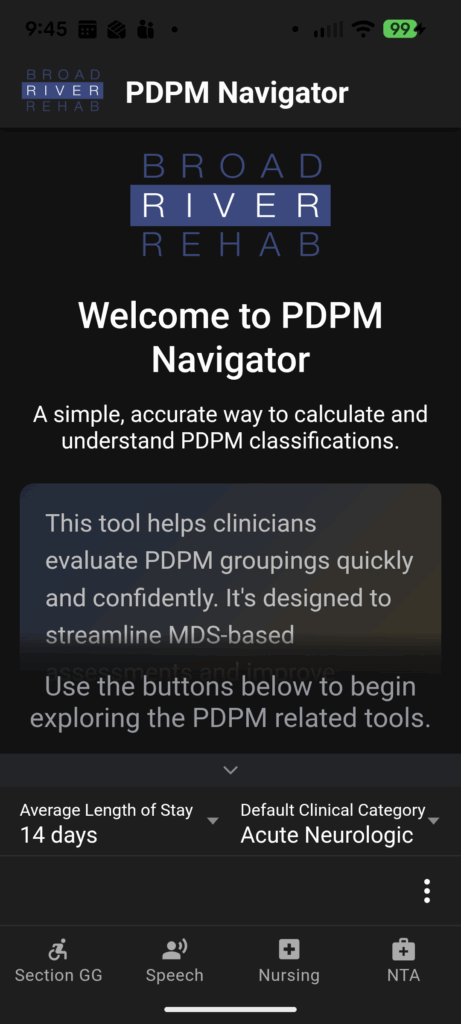
MORE Information
We’ve tried to make certain information more prominent. Wage index is a good example. We want you to quickly find the region you’re looking for AND show you all the wage indexes (indices?) along the way. (Note that search feature!)
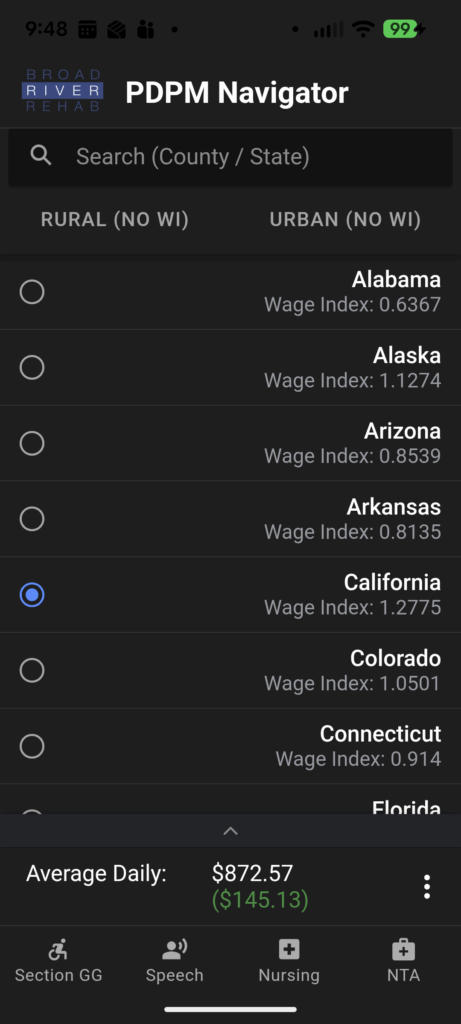
Speaking of Search
Search functionality has been added to … well, just about everything. Our development team clearly have unresolved issues with finding things. You can search, ICD-10 codes (pros), NTAs, wage indexes and more. Search is comprehensive and flexible.

The NTA section is greatly simplified and no longer requires you to know the section of the NTA. You can simply search, by section or name. You can sort them too!
Simplified Navigation
The “Big 4” are located at the bottom of the screen, nearly all of the time. Since these are the most-used items, we made them very easy to get to.

A simple three-dot menu toggles all the secondary functions that you use, but not quite as often.

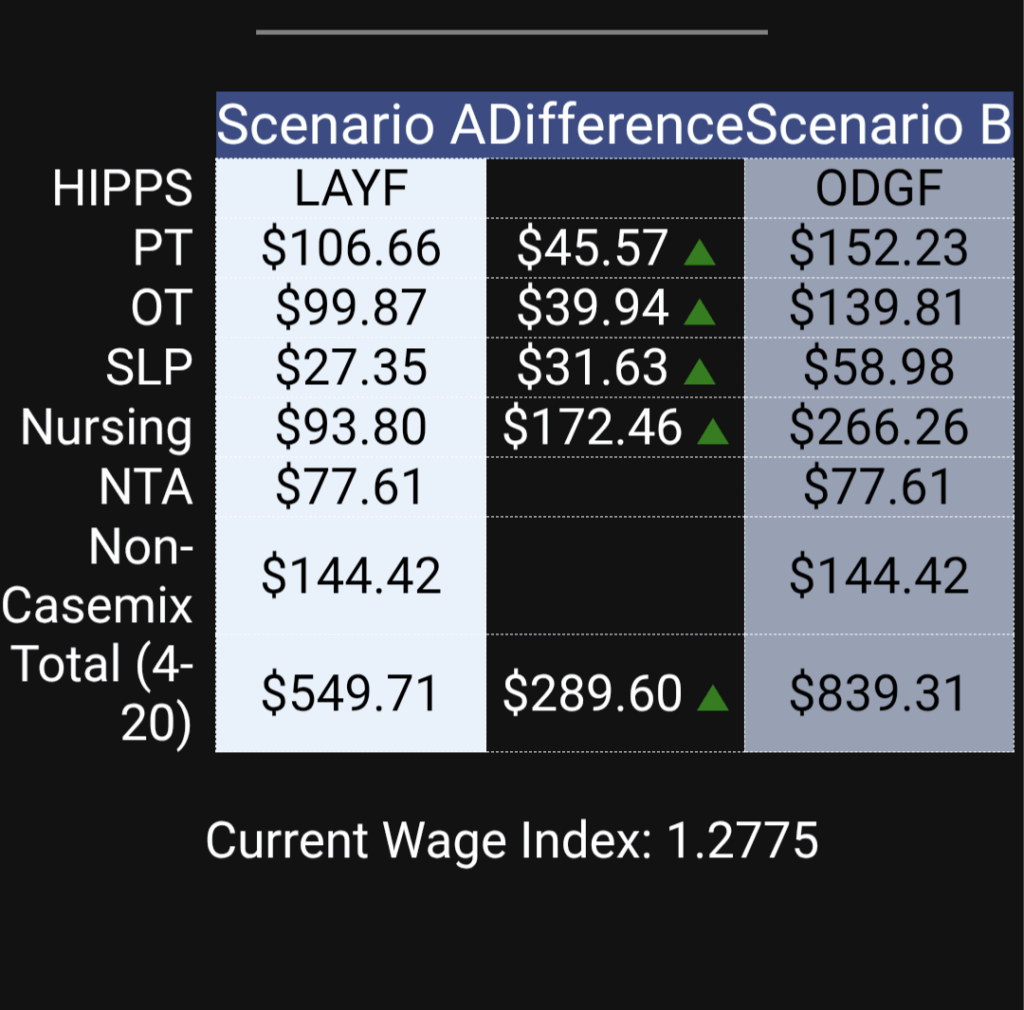
HIPPS Compare (PROs only)
We really gave some thought to this one. Previously the compare function required you to configure the entire calculator to the HIPPS code you needed. That was a lot of unnecessary work. While you can still do that if you want, there is a much easier way.
PDPM Navigator® 2 will allow you to configure/compare 3 HIPPS codes at once! This is so much more powerful and flexible.

Check this out:
Coming this Week!
We expect version 2 to hit the app stores this week. If you don’t have it yet, it’s free and customers get the pro version with enhanced functionality.
If you DO currently have the app installed, thank you! It will update all on it’s own like good apps do, assuming you have your phone set to do updates. (Please do that.) For those of you who don’t have it yet, click a link below to get started.
In case you’re wondering, our privacy policy hasn’t changed. We don’t track you. We aren’t that kind of company. We use your email ONLY if you’re a pro user. That’s it.
Download Links
p.s. – The other day I saw Joel using it so you know it’s good.